
Key Takeaways
- Hyperconverged infrastructure (HCI) combines compute, storage, and virtualization management in an integrated, software-defined platform.
- Traditional infrastructure uses separate server, storage, and networking components that can be selected and scaled independently.
- HCI can simplify deployment and day-to-day management, particularly for organizations that want a standardized, scalable infrastructure platform.
- Traditional server and storage architectures can provide greater component-level flexibility and may suit specialized workloads or environments with established infrastructure.
- Neither approach is universally better: the right choice depends on workload requirements, performance, capacity planning, operational skills, budget, and existing investments.
- Businesses should compare total cost of ownership (TCO), licensing, support, resilience, backup, and future expansion—not just initial hardware prices.
What Is Hyperconverged Infrastructure (HCI)?
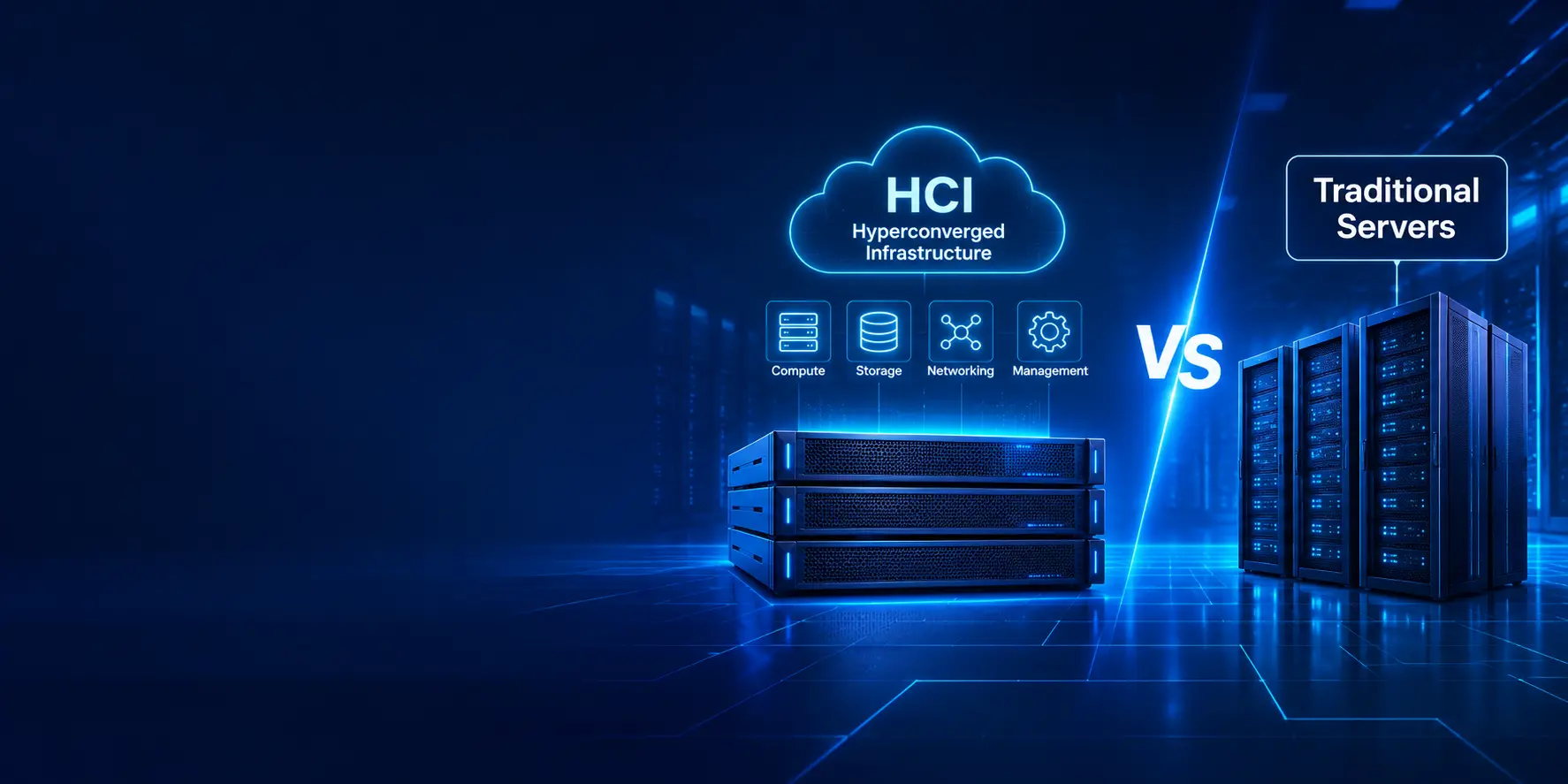
Hyperconverged infrastructure (HCI) is an IT infrastructure architecture that combines core data center resources—typically compute, storage, and virtualization—into an integrated platform managed through a common software layer.
Instead of deploying and managing separate server and storage systems as independent infrastructure silos, an HCI environment brings these resources together across a cluster of nodes. The platform's software coordinates compute and storage resources and provides centralized administration.
Most HCI deployments are designed to scale by adding nodes to a cluster. Depending on the platform, organizations can expand capacity and performance while using common tools to manage virtual machines, storage policies, monitoring, and infrastructure operations.
HCI is commonly considered by organizations modernizing virtualized data centers, remote or branch offices, private cloud environments, and infrastructure supporting business-critical applications.
What Is Traditional Server Infrastructure?
Traditional server infrastructure uses separate hardware and software components to deliver compute, storage, and networking services.
A typical enterprise environment may include:
- Rack or tower servers for compute workloads
- Dedicated storage systems such as SAN or NAS
- Fibre Channel or Ethernet storage connectivity
- Network switches and routers
- A hypervisor or virtualization platform
- Separate tools for monitoring, provisioning, backup, and management
This architecture allows IT teams to choose components based on specific workload requirements. For example, an organization may upgrade its storage system without replacing its servers, or add compute capacity while continuing to use its existing storage platform.
Traditional infrastructure can be a good fit for organizations that need specialized hardware configurations, independent resource scaling, or integration with an established data center environment.
HCI vs Traditional Servers: What Is the Difference?
The main difference is how infrastructure resources are designed, connected, scaled, and managed.
With HCI, compute and storage resources are integrated into a cluster and managed through a software-defined platform. With traditional infrastructure, servers, storage systems, and networking are generally deployed and administered as separate components.
| Area | Hyperconverged Infrastructure (HCI) | Traditional Infrastructure | |---|---|---| | Architecture | Integrated, software-defined platform | Separate server, storage, and network components | | Management | Often centralized through a common interface | May require multiple management tools | | Scaling | Commonly expanded by adding cluster nodes | Compute and storage can be expanded independently | | Storage | Distributed across nodes in many HCI platforms | Often uses dedicated SAN or NAS systems | | Deployment | Standardized and often streamlined | Requires component integration and configuration | | Flexibility | Depends on platform design and supported configurations | Greater freedom to select individual components | | Resource expansion | May require adding a node with bundled resources | Can add only the resource type required | | Operations | Platform-specific workflows and policies | More component-level administration | | Best suited for | Standardized virtualized workloads and simplified operations | Diverse workloads and environments needing independent control |
Actual capabilities vary by product, configuration, licensing, and deployment design. Always validate platform specifications against the workloads you plan to run.
How Hyperconverged Infrastructure Works
An HCI environment is generally built from multiple nodes connected through a high-speed network. Each node contributes compute resources and, in many platforms, local storage to a shared cluster.
The software layer combines and manages these resources. Virtual machines can use storage distributed across the cluster, while policies help control availability, placement, and performance.
A typical HCI environment includes:
- Compute: CPU and memory resources used to run virtual machines and applications.
- Storage: Local drives contributed by nodes and combined into a distributed storage pool.
- Virtualization: A hypervisor or virtualization layer that hosts virtual machines.
- Networking: High-speed connectivity between nodes and to users, applications, and external storage or services.
- Management software: A centralized interface for provisioning, monitoring, configuration, and lifecycle operations.
When additional resources are required, administrators can often add supported nodes to the cluster. The platform then incorporates the new resources, subject to its configuration and capacity rules.
How Traditional Server Infrastructure Works
Traditional data center infrastructure separates compute, storage, and networking into distinct systems.
Servers run operating systems, hypervisors, databases, and business applications. Shared storage systems provide capacity to multiple servers over protocols such as Fibre Channel, iSCSI, or NFS. Network switches connect servers, storage, users, and other data center services.
A traditional environment may include:
- Compute servers: Rack or tower systems selected for CPU, memory, GPU, and expansion requirements.
- Shared storage: SAN or NAS platforms selected for capacity, performance, availability, and data services.
- Networking: Dedicated switching and routing infrastructure for application and storage traffic.
- Virtualization: A hypervisor platform to consolidate and manage virtual machines.
- Management and protection: Separate tools for server administration, storage management, monitoring, backup, and disaster recovery.
This modular design gives IT teams control over component selection and upgrade cycles. However, it can also require more planning and coordination across hardware vendors, software platforms, and specialist teams.
Key Benefits of Hyperconverged Infrastructure
HCI can offer operational and infrastructure advantages when its architecture matches the organization's workloads.
1. Simplified Infrastructure Management
HCI platforms commonly provide centralized management for compute, storage, virtualization, and cluster operations. This can reduce the number of separate interfaces IT teams need to use for routine tasks.
2. Simplified Deployment
Pre-validated configurations and integrated software can make it easier to deploy a standardized infrastructure platform. This may reduce integration effort compared with assembling separate components.
3. Scalable Architecture
Many HCI platforms support scale-out expansion by adding nodes. This can make capacity planning more straightforward when compute and storage requirements grow together.
4. Integrated Resilience Features
Depending on the platform and configuration, HCI may support data replication, fault tolerance, automated recovery, and high-availability features across cluster nodes.
These features do not replace a properly designed backup and disaster recovery strategy.
5. Consistent Operations Across Locations
Organizations with multiple offices or branch locations may benefit from deploying a repeatable infrastructure design and managing it through common tools.
6. Faster Infrastructure Provisioning
Centralized workflows and policy-based management can help IT teams provision virtual machines and storage more consistently.
Key Benefits of Traditional Server Infrastructure
Traditional infrastructure remains a strong option for many enterprise environments, particularly where flexibility and independent resource control are important.
1. Independent Compute and Storage Scaling
Organizations can add servers when processing capacity is the constraint or expand storage when capacity is the primary requirement. This avoids automatically purchasing bundled resources that may not be needed.
2. Greater Component Choice
IT teams can select server, storage, networking, and virtualization products according to workload requirements, technical standards, and existing vendor relationships.
3. Support for Specialized Workloads
Some databases, high-performance applications, GPU workloads, and storage-intensive systems may benefit from carefully selected dedicated hardware and architecture.
The best design should be established through workload testing and vendor compatibility checks.
4. Reuse of Existing Investments
Organizations with functioning servers, SAN or NAS systems, and established management processes may be able to extend their current environment rather than replace it all at once.
5. Flexible Upgrade Cycles
Compute, storage, and networking components can often be refreshed on different schedules. This can help organizations align upgrades with capacity needs, support timelines, and budget availability.
HCI vs Traditional Servers: Performance and Workload Considerations
Performance depends on the complete system design—not simply whether an environment uses HCI or traditional infrastructure.
When evaluating either architecture, consider:
- CPU generation, core count, and utilization
- Memory capacity and bandwidth
- Storage media, IOPS, throughput, and latency
- Network bandwidth, latency, and redundancy
- Virtual machine density and workload contention
- Data protection and replication overhead
- Application architecture and growth forecasts
HCI can perform well for many virtualized business workloads when nodes, storage policies, and networking are sized correctly. Traditional architectures can also be optimized for demanding workloads through dedicated compute and storage configurations.
For latency-sensitive databases, large transactional systems, analytics, and GPU-intensive applications, conduct proof-of-concept testing using representative workloads before selecting a platform.
Cost Comparison: HCI vs Traditional Infrastructure
Comparing only the purchase price of servers or HCI nodes can lead to an incomplete decision. Businesses should evaluate the total cost of ownership over the expected infrastructure lifecycle.
HCI Cost Factors
- HCI node and hardware costs
- Virtualization and HCI software licensing
- Subscription or support fees
- Networking upgrades, if required
- Backup and disaster recovery solutions
- Expansion costs as compute and storage needs grow
- Staff training and operational changes
Traditional Infrastructure Cost Factors
- Server hardware
- SAN or NAS storage systems
- Storage networking and switching
- Hypervisor and management software licensing
- Integration and deployment services
- Separate hardware support contracts
- Backup, replication, and disaster recovery
- Administration and maintenance effort
How to Compare Total Cost of Ownership
A useful TCO assessment should include:
- Initial hardware and software investment
- Licensing and subscription costs over the planned lifecycle
- Support, warranty, and maintenance expenses
- Power, cooling, rack space, and connectivity
- Deployment, migration, and training costs
- Backup, disaster recovery, and business continuity
- Expected expansion and technology refresh costs
- Internal administration and operational effort
HCI may reduce integration and management effort in some environments, while traditional infrastructure may be more economical when resources need to scale independently or existing investments can be reused. The result depends on the workload and the proposed configuration.
Scalability: Which Architecture Is More Flexible?
Scalability is one of the most important differences between HCI and traditional infrastructure.
Scaling HCI
Many HCI systems use a scale-out model. Administrators add compatible nodes to increase cluster resources. This can provide a predictable expansion process, but each node may add a predefined combination of CPU, memory, and storage.
If a business needs substantially more storage but little additional compute, it should check whether the selected HCI platform supports storage-focused expansion or other capacity options.
Scaling Traditional Infrastructure
Traditional infrastructure generally allows compute and storage to be expanded separately. An organization can add servers, increase storage capacity, or upgrade networking based on the specific bottleneck.
This can provide greater flexibility, although the team must validate compatibility, connectivity, performance, and support across the separate components.
HCI vs Traditional Servers: Which Is Better for Different Business Use Cases?
The right architecture depends on the size of the environment, workload characteristics, IT skills, and business priorities.
| Business requirement | Architecture to evaluate | |---|---| | Standardized virtual machine workloads | HCI | | Simplified management for a small IT team | HCI | | Remote and branch office infrastructure | HCI | | Private cloud or virtual desktop environments | HCI | | Independent compute and storage expansion | Traditional infrastructure | | Existing SAN or NAS investment | Traditional infrastructure | | Specialized storage or hardware requirements | Traditional infrastructure | | Mixed workloads with different performance profiles | Evaluate both architectures | | Large or highly customized data center environments | Evaluate both architectures |
These are starting points, not universal rules. Validate the actual workload, platform limits, and operating model before making a decision.
Popular HCI and Enterprise Infrastructure Platforms
Businesses can evaluate solutions from established infrastructure vendors based on their technical requirements, compatibility, support model, and budget.
Examples of platforms and product families to research include:
- Nutanix — HCI and hybrid multicloud software solutions.
- Dell Technologies — PowerEdge servers, storage platforms, and integrated infrastructure solutions.
- HPE — ProLiant servers and HCI-related infrastructure offerings.
- Microsoft — Azure Local and Windows Server-based infrastructure options.
- VMware — Virtualization and software-defined infrastructure technologies, subject to current product packaging and licensing.
Product availability, branding, licensing, and supported configurations can change. Confirm current vendor documentation and regional availability before procurement.
How to Choose Between HCI and Traditional Infrastructure
Before selecting an architecture, assess the current environment and define what the business needs over the next three to five years.
Use the following decision process:
- Assess Existing Infrastructure — Document current servers, storage, networking, virtualization platforms, warranties, and support contracts.
- Understand Workloads — Identify application dependencies, CPU and memory requirements, storage performance, capacity, and availability needs.
- Forecast Growth — Estimate future compute, storage, and network requirements separately.
- Review IT Operations — Consider the team's experience, management capacity, and preferred support model.
- Compare Platform Compatibility — Validate operating systems, hypervisors, backup tools, disaster recovery, and application certifications.
- Calculate Lifecycle TCO — Compare hardware, licensing, support, power, cooling, migration, and expansion costs.
- Run a Proof of Concept — Test representative workloads and failure scenarios before committing to a large deployment.
- Plan Migration and Resilience — Define backup, recovery, rollback, security, and business continuity requirements.
Common Mistakes to Avoid When Selecting Infrastructure
A successful infrastructure decision requires more than comparing product specifications.
Avoid these common mistakes:
- Choosing HCI only because it is newer or more integrated.
- Choosing traditional infrastructure only because it is familiar.
- Comparing hardware prices without including licensing and support.
- Ignoring storage performance, network capacity, and workload requirements.
- Assuming that adding HCI nodes always provides the most cost-effective expansion.
- Overlooking backup, disaster recovery, and recovery time objectives.
- Failing to check application, hypervisor, and backup compatibility.
- Underestimating migration effort, staff training, and operational change.
- Not planning for hardware lifecycle, vendor support, and future capacity.
Frequently Asked Questions (FAQs)
Is HCI better than traditional servers?
Not in every situation. HCI can simplify management and scale-out expansion for many virtualized environments. Traditional infrastructure can provide more flexibility when compute and storage need to scale independently or when an organization has specialized workload requirements.
Is hyperconverged infrastructure suitable for small businesses?
It can be suitable for small businesses that need a manageable, integrated platform for virtualized applications. However, the licensing, node count, support, and expansion costs should be compared with a conventional server and storage setup.
Does HCI eliminate the need for SAN storage?
Many HCI platforms use distributed storage built from drives inside cluster nodes, so a separate SAN may not be required for those workloads. However, requirements vary by platform and application. Some environments continue to use external storage alongside HCI.
Can HCI support business-critical applications?
Yes, many HCI platforms are designed to support enterprise workloads. Suitability depends on validated configurations, application requirements, availability design, performance testing, support arrangements, and recovery planning.
Can businesses migrate from traditional servers to HCI?
Yes. Migration may involve moving virtual machines, data, applications, and associated network configurations to the new platform. A phased migration plan should include compatibility checks, backups, testing, rollback procedures, and planned maintenance windows.
Is HCI more expensive than traditional infrastructure?
It depends on the environment. HCI may reduce integration and administration effort, but node-based expansion and software licensing can affect costs. Traditional infrastructure may offer savings when compute and storage can be purchased independently or existing systems can be reused. Compare lifecycle TCO rather than initial purchase price alone.
What is the difference between HCI and converged infrastructure?
Converged infrastructure generally combines pre-validated compute, storage, and networking components while retaining distinct hardware building blocks. HCI goes further by using software to integrate and manage compute and distributed storage as a unified platform. Exact definitions and product architectures vary by vendor.
How Movantech Helps Businesses with Servers, Storage, and Data Center Infrastructure
Choosing the right infrastructure requires a clear understanding of workloads, performance, scalability, compatibility, and long-term costs.
Movantech helps businesses evaluate and source enterprise technology aligned with their infrastructure requirements.
Our capabilities include:
- Enterprise rack and tower servers
- Server and storage infrastructure
- Hyperconverged infrastructure solutions
- Enterprise networking and switching
- Virtualization and cloud infrastructure
- Data center hardware and components
- Backup and disaster recovery solutions
- AI and high-performance computing infrastructure
- IT procurement and technology sourcing
- Infrastructure consultation and solution evaluation
Whether your organization is planning a new data center, refreshing existing servers, expanding storage, or evaluating HCI, our team can help you compare suitable technology options and identify solutions aligned with your operational needs.
Conclusion
Hyperconverged infrastructure and traditional server infrastructure both have an important role in modern data centers.
HCI brings compute, storage, and management together in an integrated platform. It can simplify operations and provide a standardized approach to scaling virtualized workloads. Traditional infrastructure keeps server, storage, and networking components separate, offering independent expansion and greater freedom to tailor each layer.
The right choice depends on workload performance, resource growth, existing investments, operational skills, resilience requirements, and total cost of ownership.
Rather than choosing based on trends alone, businesses should evaluate both architectures against real application requirements and long-term infrastructure plans. A well-designed solution can improve reliability, control costs, and provide a scalable foundation for business growth.
Planning a server refresh or data center upgrade? Contact Movantech to discuss enterprise servers, storage systems, hyperconverged infrastructure, and IT procurement solutions for your business.