
Key Takeaways
- A well-designed data center gives SMEs a reliable foundation for business applications, data, and IT operations.
- Data center design should balance performance, security, scalability, availability, and total cost of ownership.
- Servers, storage, networking, power, cooling, physical security, and backup must be designed as one integrated infrastructure.
- High availability and disaster recovery planning help minimize downtime and protect critical business operations.
- Monitoring, capacity planning, and documentation make it easier to scale infrastructure as the business grows.
- SMEs can build enterprise-grade infrastructure without unnecessarily investing in oversized or complex data center environments.
What Is Data Center Design?
Data center design is the process of planning and implementing the physical and IT infrastructure required to host an organization's servers, storage systems, networking equipment, applications, and critical business data.
For small and medium-sized enterprises (SMEs), a data center does not necessarily mean building a large-scale facility comparable to a hyperscale data center. Instead, it means creating an infrastructure environment that is reliable, secure, manageable, scalable, and aligned with business requirements.
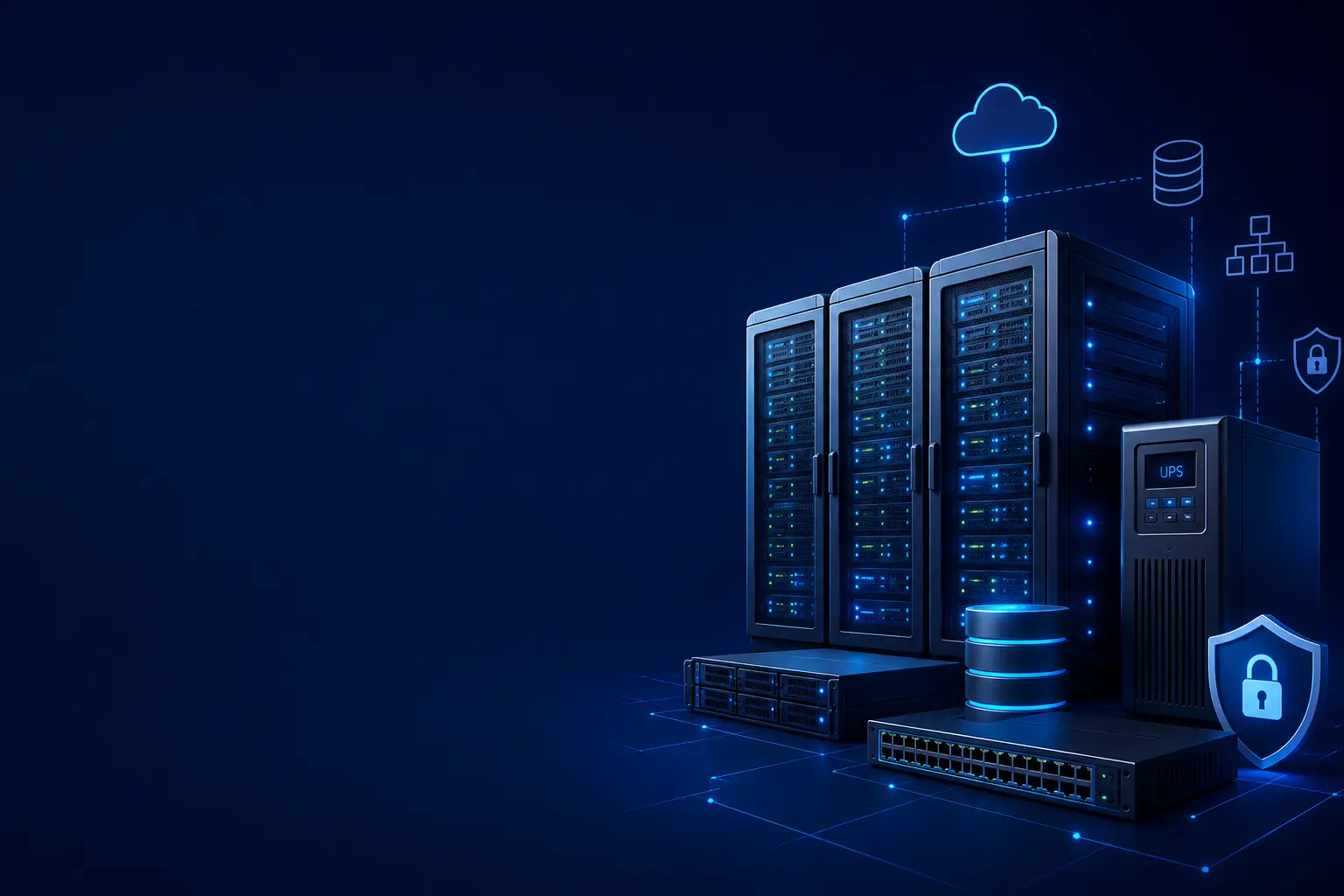
A modern SME data center may include:
- Physical or rack servers
- Enterprise storage systems
- Network switches and routers
- Firewalls and security appliances
- UPS and power protection
- Cooling and environmental monitoring
- Backup and disaster recovery infrastructure
- Physical access control
- Network and infrastructure monitoring
- Virtualization platforms
- Cloud connectivity and hybrid infrastructure
The right design depends on workload requirements, business growth, availability expectations, budget, compliance requirements, and future technology plans.
Why Data Center Design Matters for SMEs
Many growing businesses initially deploy IT infrastructure without a long-term architecture. As workloads increase, this can result in overloaded servers, insufficient storage, network bottlenecks, power issues, security gaps, and unexpected downtime.
A properly designed data center helps SMEs establish a stronger foundation for their technology environment.
Key benefits include:
- Improved IT infrastructure reliability
- Reduced downtime and business disruption
- Better application and workload performance
- Stronger cybersecurity and physical protection
- Improved data protection and recovery
- Easier infrastructure management
- Predictable infrastructure expansion
- Better utilization of technology investments
- Improved business continuity
- Lower long-term operational risk
Data center design should therefore be treated as a business planning decision rather than simply an equipment purchasing exercise.
Understanding SME Data Center Requirements
Before selecting servers, storage, or networking equipment, organizations should understand their actual business and technical requirements.
Business Requirements
Start by identifying the applications and services that the infrastructure must support.
Consider:
- Number of employees and users
- Business applications
- ERP and CRM systems
- Database workloads
- File and document storage
- Virtual machines
- Email and collaboration platforms
- Customer-facing applications
- Remote access requirements
- Business-critical workloads
- Regulatory and compliance requirements
Understanding these requirements helps prevent both under-sizing and unnecessary infrastructure spending.
Performance Requirements
Different workloads require different levels of computing and storage performance.
Evaluate:
- CPU requirements
- Memory requirements
- Storage capacity
- Storage IOPS
- Network bandwidth
- Application response times
- Database performance
- Virtualization requirements
- GPU requirements for specialized workloads
A workload assessment provides a better basis for infrastructure selection than choosing equipment based only on specifications or brand.
Core Components of an SME Data Center
1. Enterprise Servers
Servers provide the computing foundation for applications, databases, virtualization, and business services.
When selecting enterprise servers, consider:
- CPU performance
- Memory capacity
- Storage configuration
- RAID support
- Network interfaces
- Redundant power supplies
- Remote management
- Virtualization support
- Expansion capabilities
- Warranty and support
For many SMEs, rack servers are an efficient option because they provide high computing density while optimizing physical space.
Server platforms from vendors such as Dell, HPE, Lenovo, and other enterprise manufacturers can be selected based on workload, budget, support requirements, and infrastructure compatibility.
2. Enterprise Storage
As businesses generate increasing amounts of data, storage becomes one of the most important parts of data center architecture.
Storage requirements may include:
- File storage
- Database storage
- Virtual machine storage
- Application storage
- Backup repositories
- Archive storage
- High-performance workloads
Organizations can evaluate technologies such as:
- SAN
- NAS
- All-flash storage
- Hybrid storage
- Software-defined storage
- Object storage
- Cloud-connected storage
Storage architecture should consider both current capacity and future data growth.
3. Network Infrastructure
A reliable network connects servers, storage, users, applications, branch offices, cloud environments, and security systems.
A typical SME data center network may include:
- Core or distribution switches
- Access switches
- Routers
- Firewalls
- Load balancers
- Wireless infrastructure
- WAN connectivity
- SD-WAN
- Network monitoring systems
Enterprise switches should provide sufficient port density, bandwidth, VLAN support, redundancy, security features, and scalability.
Network segmentation is also important for separating servers, users, management systems, guest traffic, backup systems, and sensitive workloads.
4. Firewall and Network Security
Security should be incorporated into the architecture from the beginning.
Modern data center security may include:
- Next-generation firewalls
- Intrusion prevention
- Network segmentation
- VPN
- Zero Trust principles
- Secure remote access
- Web application security
- Network access control
- Threat detection
- Security monitoring
Firewalls should be sized according to expected throughput, concurrent connections, security inspection requirements, VPN traffic, and future growth.
5. Power Infrastructure
Power failures can cause server shutdowns, data corruption, equipment damage, and extended business disruption.
An SME data center should consider:
- UPS systems
- Power distribution units
- Redundant power supplies
- Surge protection
- Generator backup where required
- Power monitoring
- Proper electrical distribution
Critical equipment should ideally have redundant power connections connected to appropriately designed power infrastructure.
6. Cooling and Environmental Management
Servers and networking equipment generate significant heat. Poor cooling can reduce equipment lifespan and cause performance or reliability problems.
A data center cooling strategy should consider:
- Heat load
- Rack density
- Airflow direction
- Temperature
- Humidity
- Hot and cold aisle concepts
- Air conditioning capacity
- Environmental monitoring
For smaller server rooms, appropriately sized precision cooling or dedicated cooling systems can provide better reliability than relying solely on general office air conditioning.
7. Physical Security
Cybersecurity alone cannot protect equipment from unauthorized physical access.
Physical security measures can include:
- Restricted server room access
- Access control systems
- CCTV surveillance
- Visitor management
- Door monitoring
- Rack-level security
- Environmental sensors
- Fire detection
- Fire suppression systems
Physical access should be limited to authorized personnel.
8. Backup and Disaster Recovery
A data center is not complete without a properly designed data protection strategy.
Organizations should protect:
- Production servers
- Databases
- Virtual machines
- File systems
- Business applications
- Configuration data
- Critical documents
A strong backup strategy should include multiple copies of important data, geographically or logically separated backup locations, encryption, retention policies, and regular recovery testing.
Disaster recovery planning should also define:
- Recovery Time Objective (RTO)
- Recovery Point Objective (RPO)
- Recovery procedures
- Backup priorities
- Disaster recovery locations
- Responsible personnel
- Communication procedures
Data Center Redundancy and High Availability
For business-critical workloads, a single point of failure can create significant operational risk.
SMEs should identify potential single points of failure across:
- Servers
- Power supplies
- Network switches
- Internet connections
- Storage systems
- Cooling
- Firewalls
- Backup infrastructure
Depending on business requirements, organizations can implement:
- RAID
- Redundant power supplies
- High-availability servers
- Storage replication
- Network redundancy
- Firewall high availability
- Multiple internet connections
- Clustered virtualization
- Backup infrastructure redundancy
Not every component needs maximum redundancy. The correct approach is to prioritize redundancy according to business criticality and acceptable downtime.
Virtualization for SME Data Centers
Virtualization allows multiple workloads to operate on shared physical server resources.
Benefits include:
- Better hardware utilization
- Reduced physical server requirements
- Easier workload management
- Faster provisioning
- Simplified disaster recovery
- Easier scalability
- Reduced power and cooling requirements
Virtualization platforms can support workloads such as:
- ERP
- CRM
- Databases
- File servers
- Application servers
- Development environments
- Internal business applications
A properly designed virtualization cluster can also improve workload availability and simplify infrastructure management.
Data Center Network Segmentation
Network segmentation is an important part of modern infrastructure security.
Instead of placing every system on a single network, organizations can separate environments into logical security zones.
For example:
- Server network
- User network
- Management network
- Backup network
- Guest network
- Security systems network
- Voice network
- IoT network
VLANs, firewalls, access control policies, and network security technologies can be used to control communication between these environments.
This reduces the potential impact of compromised devices and makes security monitoring easier.
Monitoring and Infrastructure Management
A reliable data center requires continuous visibility.
Infrastructure monitoring should track:
- Server CPU utilization
- Memory usage
- Storage capacity
- Storage performance
- Network bandwidth
- Temperature
- UPS status
- Power consumption
- Hardware health
- Backup status
- Security events
Proactive monitoring allows IT teams to identify capacity and performance problems before they become major incidents.
Automated alerts can notify administrators when thresholds are exceeded or critical infrastructure components fail.
Data Center Scalability for Growing Businesses
One of the most important principles of SME data center design is planning for growth.
Businesses should avoid designing infrastructure only around current requirements.
Instead, consider expected growth over the next three to five years.
Plan for:
- Additional employees
- More applications
- Increased data volumes
- Additional virtual machines
- Higher network traffic
- New branch locations
- Cloud integration
- AI and analytics workloads
- Additional security requirements
Modular infrastructure makes it easier to add computing, storage, networking, and power capacity as requirements increase.
Hybrid Cloud and Data Center Integration
SMEs do not necessarily need to choose between on-premises infrastructure and cloud computing.
A hybrid approach can combine both environments.
For example:
- Critical applications can run on-premises.
- Backup data can be replicated to cloud storage.
- Disaster recovery workloads can operate in the cloud.
- SaaS applications can handle collaboration and productivity.
- Cloud infrastructure can provide additional capacity during peak demand.
Hybrid infrastructure can provide flexibility while allowing organizations to retain control over workloads that require local infrastructure.
Data Center Security Best Practices
Security should be integrated across every layer of the environment.
Recommended practices include:
- Implement Zero Trust security principles.
- Use multi-factor authentication for administrative access.
- Separate management networks from user networks.
- Keep operating systems and firmware updated.
- Apply least-privilege access controls.
- Deploy endpoint and server security.
- Segment critical workloads.
- Encrypt sensitive data.
- Secure backup infrastructure.
- Monitor security events continuously.
- Conduct vulnerability assessments regularly.
- Maintain documented incident response procedures.
Security should cover physical, network, server, application, identity, and data layers.
Common Data Center Design Mistakes SMEs Should Avoid
1. Designing Only for Current Requirements
Infrastructure that meets today's needs may become insufficient as the organization grows.
2. Ignoring Power and Cooling
Servers require reliable power and appropriate environmental conditions. These requirements should be planned before equipment deployment.
3. Creating Single Points of Failure
A single network switch, power source, storage system, or internet connection can become a major availability risk.
4. Treating Backup as an Afterthought
Backup should be designed alongside production infrastructure rather than added after a failure occurs.
5. Overlooking Physical Security
Unauthorized physical access can compromise equipment and sensitive information.
6. Buying Equipment Without Workload Planning
Selecting hardware based only on brand or specifications can lead to unnecessary costs or insufficient performance.
7. Failing to Plan for Expansion
Insufficient rack space, power capacity, network ports, and storage expansion can make future upgrades expensive.
8. Lack of Documentation
Network diagrams, IP address plans, rack layouts, configurations, asset records, and recovery procedures should be documented and maintained.
SME Data Center Design Checklist
Before implementing a data center, organizations should evaluate:
- [ ] Business and application requirements
- [ ] Server capacity
- [ ] Storage capacity and performance
- [ ] Network bandwidth and architecture
- [ ] Firewall and security requirements
- [ ] UPS and power requirements
- [ ] Cooling capacity
- [ ] Rack and physical space
- [ ] Physical access control
- [ ] CCTV and surveillance
- [ ] Fire detection and suppression
- [ ] Backup architecture
- [ ] Disaster recovery strategy
- [ ] RPO and RTO requirements
- [ ] Network segmentation
- [ ] Monitoring and alerting
- [ ] High-availability requirements
- [ ] Future scalability
- [ ] Cloud and hybrid connectivity
- [ ] Infrastructure documentation
- [ ] Maintenance and support contracts
Cost Optimization for SME Data Centers
A reliable data center does not have to be unnecessarily expensive.
SMEs can optimize costs by:
- Right-sizing servers based on actual workloads
- Using virtualization to consolidate workloads
- Selecting storage according to performance requirements
- Standardizing hardware platforms
- Using modular infrastructure
- Monitoring power consumption
- Automating infrastructure management
- Combining on-premises and cloud resources where appropriate
- Planning capacity before purchasing additional equipment
- Evaluating total cost of ownership instead of only purchase price
The goal should be to achieve the required level of availability, performance, security, and scalability without over-engineering the environment.
Recommended SME Data Center Implementation Approach
1. Infrastructure Assessment
Evaluate the existing IT environment, applications, workloads, network, storage, security, power, and business requirements.
2. Capacity Planning
Determine current requirements and forecast expected growth over the next three to five years.
3. Data Center Architecture
Design the server, storage, networking, power, cooling, security, backup, and monitoring architecture.
4. Hardware and Technology Selection
Select enterprise-grade servers, storage, switches, firewalls, UPS systems, racks, and related infrastructure based on workload requirements.
5. Security Implementation
Implement network segmentation, firewall protection, access control, MFA, endpoint security, monitoring, and physical security.
6. Deployment and Configuration
Install and configure infrastructure according to the approved architecture and implementation plan.
7. Backup and Disaster Recovery
Implement backup, replication, recovery procedures, and regular recovery testing.
8. Monitoring and Optimization
Continuously monitor infrastructure performance, capacity, security, and availability and optimize the environment as business requirements change.
How Movantech Systems Helps SMEs Build Data Center Infrastructure
Movantech Systems helps small and medium-sized businesses design, deploy, secure, and manage reliable IT infrastructure tailored to their operational requirements and growth plans.
Our data center and infrastructure capabilities include:
- Data Center Design and Architecture
- Server Infrastructure Solutions
- Enterprise Storage Solutions
- Data Center Networking
- Firewall and Network Security
- Virtualization Infrastructure
- UPS and Power Protection
- Rack and Server Room Infrastructure
- Backup and Disaster Recovery
- Business Continuity Planning
- Data Center Monitoring
- Infrastructure Security
- Cloud and Hybrid Infrastructure
- IT Infrastructure Assessment
- Capacity Planning and Optimization
We work with organizations to build infrastructure that balances performance, availability, security, scalability, and cost efficiency.
Whether you are establishing a new server room, modernizing an existing data center, consolidating infrastructure, or developing a hybrid cloud environment, Movantech Systems can help you plan the right architecture for your business.
Conclusion
A well-designed data center provides the foundation required to run modern business applications reliably and securely.
For SMEs, the objective is not to build the largest possible infrastructure. It is to build the right infrastructure—one that supports current workloads, protects critical data, minimizes downtime, and provides enough flexibility to support future growth.
By combining enterprise servers, reliable storage, resilient networking, secure power, effective cooling, physical and cybersecurity controls, backup and disaster recovery, and proactive monitoring, SMEs can create a dependable technology environment without unnecessary complexity.
Data center design should therefore be approached as a long-term business and technology strategy rather than simply an equipment purchasing decision.
Ready to modernize your data center infrastructure?
Contact Movantech Systems today for a professional Data Center Infrastructure Assessment and discover how our server, storage, networking, virtualization, security, backup, and infrastructure solutions can help your business build a reliable, scalable, and future-ready IT environment.