
Key Takeaways
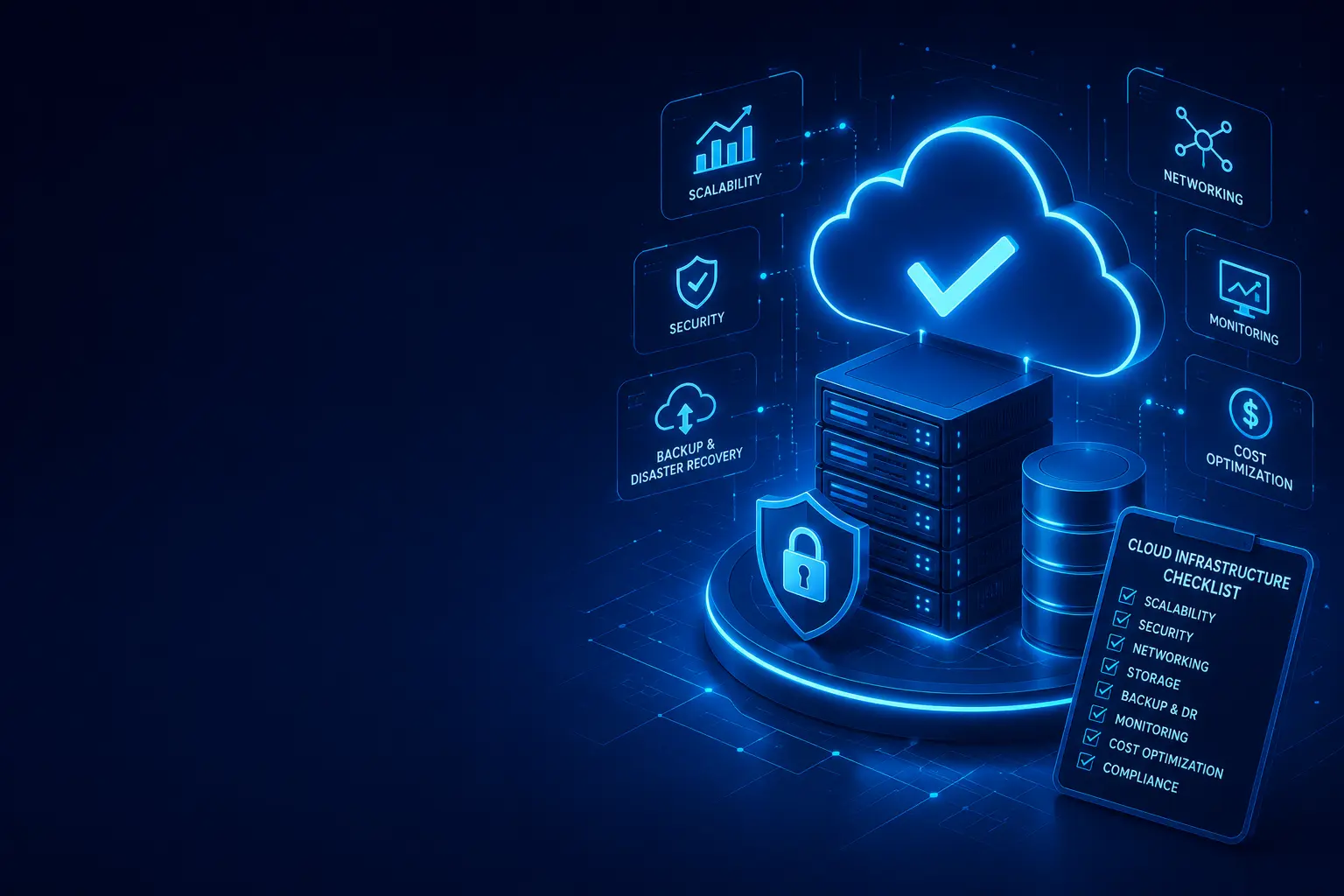
- A well-planned cloud infrastructure gives growing businesses the scalability and flexibility needed to support expansion.
- Security, identity management, networking, backup, monitoring, and disaster recovery should be designed from the beginning.
- Cloud infrastructure should scale with business demand without creating unnecessary operational or technology costs.
- Reliable backup and disaster recovery strategies help protect critical business applications and data.
- Continuous monitoring and cost optimization keep cloud environments secure, efficient, and financially sustainable.
- A structured cloud infrastructure checklist helps businesses identify gaps before they become performance, security, or availability problems.
What Is Cloud Infrastructure?
Cloud infrastructure is the collection of computing resources and services that businesses use to run applications, store data, connect systems, and support digital operations through cloud environments.
It typically includes:
- Compute resources
- Cloud storage
- Networking
- Databases
- Identity and access management
- Security services
- Backup and disaster recovery
- Monitoring and logging
- Application platforms
- Management and automation tools
For growing businesses, cloud infrastructure provides the ability to increase or decrease resources based on business requirements without having to continuously invest in physical infrastructure.
A properly designed cloud environment should be secure, scalable, reliable, manageable, and cost-effective.
Why Growing Businesses Need a Cloud Infrastructure Checklist
As a business grows, its technology requirements become more complex.
New employees, applications, customers, locations, integrations, and data can increase demand on IT infrastructure. Without proper planning, businesses may experience:
- Application performance issues
- Unexpected cloud costs
- Security vulnerabilities
- Data loss risks
- Poor visibility into infrastructure
- Difficulties scaling applications
- Extended downtime
- Complex IT management
A cloud infrastructure checklist helps organizations evaluate their environment systematically and identify areas that need improvement.
Instead of adding cloud services whenever a new requirement appears, businesses can use a structured approach to build an infrastructure that supports long-term growth.
Cloud Infrastructure Checklist for Growing Businesses
1. Define Business and Cloud Requirements
Before selecting cloud services, clearly define the business requirements.
Evaluate:
- Current applications and workloads
- Number of users
- Expected business growth
- Data requirements
- Application performance requirements
- Availability requirements
- Compliance requirements
- Remote workforce requirements
- Integration requirements
- Future technology requirements
The cloud environment should be designed around business objectives rather than simply moving existing systems to the cloud.
2. Choose the Right Cloud Strategy
Determine which cloud model best matches your business requirements.
Common approaches include:
- Public Cloud
- Private Cloud
- Hybrid Cloud
- Multi-Cloud
Consider:
- Security requirements
- Workload characteristics
- Performance
- Compliance
- Budget
- Vendor dependencies
- Geographic requirements
- Business continuity
For some organizations, a public cloud environment may provide the required flexibility. Others may benefit from hybrid or multi-cloud architectures.
3. Build a Scalable Compute Environment
Compute resources provide the processing power required to run applications and services.
Your cloud infrastructure checklist should include:
- Appropriate virtual machines or cloud compute services
- Auto-scaling capabilities
- CPU and memory requirements
- Workload sizing
- Application performance requirements
- High-availability configurations
- Resource utilization monitoring
Avoid permanently overprovisioning resources.
Instead, design compute infrastructure that can scale according to workload demand.
4. Plan Cloud Storage Carefully
Business applications generate increasing amounts of data as organizations grow.
Evaluate:
- Primary storage requirements
- Object storage
- Database storage
- Backup storage
- Archive storage
- Storage performance
- Data retention requirements
- Encryption
- Access controls
Use the appropriate storage tier for each workload.
Frequently accessed business data may require high-performance storage, while older data can often be moved to lower-cost archival storage.
5. Design a Reliable Cloud Network
Networking is the foundation that connects users, applications, services, and cloud resources.
A cloud networking checklist should include:
- Virtual networks
- Subnets
- Routing
- Firewalls
- Network access controls
- VPN connectivity
- Internet connectivity
- Load balancing
- DNS
- Private connectivity
- Network segmentation
Network segmentation can help isolate critical workloads and reduce the impact of security incidents.
As the business expands, the network should also support additional offices, remote users, cloud services, and business applications.
6. Implement Strong Identity and Access Management
Identity security is one of the most important components of cloud infrastructure.
Implement:
- Multi-factor authentication (MFA)
- Role-based access control (RBAC)
- Least-privilege access
- Centralized identity management
- Strong password policies
- Privileged access controls
- Regular access reviews
- Employee onboarding and offboarding procedures
Employees should receive only the access required to perform their responsibilities.
Regularly review accounts and permissions to remove unnecessary access.
7. Secure Cloud Infrastructure
Cloud security should be built into the infrastructure rather than added later.
Important controls include:
- Network firewalls
- Endpoint protection
- Encryption
- Identity security
- Vulnerability management
- Security monitoring
- Security logging
- Threat detection
- Secure configurations
- Regular security assessments
Protect sensitive information both at rest and in transit.
Businesses should also establish security policies covering users, applications, infrastructure, and data.
8. Protect Business Data With Backup
Cloud infrastructure does not automatically eliminate the need for backups.
A reliable backup strategy should define:
- What data needs to be backed up
- Backup frequency
- Backup retention
- Backup locations
- Recovery objectives
- Backup encryption
- Backup monitoring
- Restore testing
Critical business data should have appropriate protection against accidental deletion, system failures, ransomware, and other disruptions.
Regularly test backups to confirm that data can actually be restored when required.
9. Create a Disaster Recovery Strategy
Businesses should prepare for infrastructure failures and unexpected disruptions.
Define:
- Recovery Point Objective (RPO)
- Recovery Time Objective (RTO)
- Critical applications
- Recovery priorities
- Backup infrastructure
- Failover procedures
- Recovery responsibilities
- Communication procedures
Disaster recovery should be tested periodically rather than existing only as a written document.
A practical recovery strategy helps businesses restore critical operations faster when major disruptions occur.
10. Implement Cloud Monitoring and Logging
Without monitoring, it can be difficult to understand what is happening inside a cloud environment.
Monitor:
- CPU utilization
- Memory utilization
- Storage capacity
- Network traffic
- Application performance
- Availability
- Security events
- Failed authentication attempts
- Infrastructure errors
- Cloud resource usage
Centralized logging can provide better visibility across applications, infrastructure, and security systems.
Set up alerts for important events so IT teams can respond before minor problems become major outages.
11. Plan Cloud Cost Management
Cloud costs can increase rapidly as organizations add applications, users, storage, and services.
Implement:
- Resource usage monitoring
- Budget alerts
- Cost allocation
- Resource tagging
- Rightsizing
- Reserved or committed usage where appropriate
- Automated resource shutdown
- Storage lifecycle policies
- Regular cost reviews
Remove unused resources and review oversized workloads regularly.
Cloud cost optimization should focus on achieving the required business performance rather than simply reducing infrastructure spending.
12. Establish High Availability
Critical applications should not depend on a single infrastructure component.
Consider:
- Multiple availability zones or locations
- Redundant compute resources
- Load balancing
- Database replication
- Redundant network connectivity
- Automated failover
- Backup infrastructure
Determine availability requirements for each application and prioritize redundancy where downtime would have a significant business impact.
13. Secure Cloud Applications and APIs
Cloud infrastructure and applications must work together securely.
Review:
- API authentication
- API authorization
- Application permissions
- Secrets management
- TLS encryption
- Secure application configurations
- Dependency management
- Vulnerability scanning
- Application logging
Never store sensitive credentials directly inside application source code.
Use appropriate secrets and credential management mechanisms to protect API keys, passwords, and other sensitive information.
14. Create Cloud Governance Policies
As cloud usage grows, governance becomes increasingly important.
Establish policies for:
- Resource creation
- User permissions
- Security configurations
- Data classification
- Naming conventions
- Resource tagging
- Cost management
- Backup requirements
- Compliance
- Infrastructure changes
Cloud governance helps prevent uncontrolled infrastructure growth and makes the environment easier to manage.
15. Prepare for Business Growth
Cloud infrastructure should be designed with future requirements in mind.
Ask:
- Can the infrastructure support more users?
- Can applications handle increased traffic?
- Can storage scale as data grows?
- Can new offices connect easily?
- Can new applications be integrated?
- Can additional cloud services be introduced?
- Can infrastructure be automated?
- Can the environment support international expansion?
A scalable architecture reduces the need for major infrastructure redesign every time the business grows.
Cloud Infrastructure Security Checklist
Use the following checklist to review your current environment:
- [ ] Multi-factor authentication enabled
- [ ] Least-privilege access implemented
- [ ] Role-based access configured
- [ ] Privileged accounts reviewed regularly
- [ ] Network segmentation implemented
- [ ] Firewalls configured
- [ ] Data encryption enabled
- [ ] Security logging enabled
- [ ] Vulnerability management implemented
- [ ] Backup policies established
- [ ] Backup restoration tested
- [ ] Disaster recovery plan documented
- [ ] Security monitoring configured
- [ ] Cloud resources regularly reviewed
Cloud Infrastructure Performance Checklist
Growing businesses should also review infrastructure performance regularly:
- [ ] Compute resources appropriately sized
- [ ] Application performance monitored
- [ ] Database performance monitored
- [ ] Storage performance reviewed
- [ ] Network performance monitored
- [ ] Auto-scaling configured where required
- [ ] Load balancing implemented for critical workloads
- [ ] Capacity planning performed
- [ ] Performance alerts configured
- [ ] Infrastructure bottlenecks reviewed
Cloud Cost Optimization Checklist
Use these checks to control unnecessary cloud spending:
- [ ] Unused resources identified
- [ ] Oversized resources reviewed
- [ ] Storage lifecycle policies configured
- [ ] Cost alerts configured
- [ ] Resource tagging implemented
- [ ] Department or project cost allocation configured
- [ ] Regular cloud cost reviews performed
- [ ] Reserved or committed usage evaluated
- [ ] Development resources automatically stopped when appropriate
- [ ] Monthly cloud spending compared with business requirements
Common Cloud Infrastructure Mistakes
Overprovisioning Resources
Businesses sometimes deploy larger resources than required and never review their utilization.
This can create unnecessary cloud costs.
Ignoring Security During Migration
Moving workloads to the cloud without reviewing identity, network security, access controls, and data protection can introduce new risks.
Not Testing Backups
A backup that has never been restored should not automatically be considered reliable.
Lack of Monitoring
Without monitoring and alerts, infrastructure problems may remain undetected until users experience downtime.
Poor Access Management
Giving users excessive permissions increases security risks and makes cloud environments harder to control.
No Cost Governance
Cloud environments can grow quickly when resources are created without budgets, tagging, ownership, or regular reviews.
Recommended Cloud Infrastructure Implementation Approach
Phase 1: Assessment
- Inventory existing applications and infrastructure
- Identify critical workloads
- Review current security controls
- Analyze current cloud spending
- Identify performance and scalability requirements
- Document infrastructure gaps
Phase 2: Architecture Planning
- Select the appropriate cloud strategy
- Design compute architecture
- Design storage architecture
- Design network architecture
- Define identity and access requirements
- Establish backup and disaster recovery requirements
Phase 3: Security & Foundation
- Implement identity controls
- Configure network security
- Enable encryption
- Establish backup policies
- Configure monitoring and logging
- Implement cloud governance
Phase 4: Migration & Deployment
- Prioritize workloads
- Migrate applications systematically
- Validate performance
- Test security controls
- Verify backup and recovery
- Monitor infrastructure after deployment
Phase 5: Optimization
- Review cloud utilization
- Optimize infrastructure costs
- Improve application performance
- Strengthen security
- Automate repetitive operations
- Perform regular infrastructure assessments
When Should a Growing Business Upgrade Its Cloud Infrastructure?
A business should consider reviewing or upgrading its cloud infrastructure when it experiences:
- Rapid user growth
- Increasing application traffic
- Higher cloud spending
- Frequent performance issues
- New office locations
- Growing data volumes
- Increasing security requirements
- New compliance requirements
- More complex applications
- Frequent infrastructure-related downtime
Cloud infrastructure should evolve with the business instead of becoming a limitation to growth.
How Movantech Helps Businesses Build Scalable Cloud Infrastructure
Movantech helps businesses design, implement, secure, and optimize cloud infrastructure based on their operational and growth requirements.
Our cloud infrastructure expertise includes:
- Cloud Infrastructure Assessment
- Cloud Architecture Design
- Cloud Migration
- Hybrid Cloud Solutions
- Multi-Cloud Infrastructure
- Cloud Security
- Cloud Networking
- Cloud Backup and Disaster Recovery
- Infrastructure Monitoring
- Cloud Cost Optimization
- Virtualization Solutions
- Managed IT Infrastructure
We help organizations build cloud environments that are designed for performance, security, scalability, availability, and long-term business growth.
Conclusion
Cloud infrastructure is more than simply moving applications and data to the cloud. Growing businesses need a structured approach that combines scalability, security, networking, storage, monitoring, backup, disaster recovery, governance, and cost management.
A comprehensive cloud infrastructure checklist helps organizations identify weaknesses, prioritize improvements, and build a reliable technology foundation for future growth.
By regularly reviewing infrastructure requirements and optimizing cloud resources, businesses can create an environment that supports changing workloads while maintaining security, performance, and operational efficiency.
The right cloud infrastructure can become a strategic advantage — helping businesses scale faster, respond to changing market requirements, and support digital transformation without unnecessary infrastructure complexity.
Ready to evaluate your cloud infrastructure?
Contact Movantech today for a comprehensive Cloud Infrastructure Assessment and build a secure, scalable, and future-ready cloud environment for your growing business.