
Key Takeaways
- Effective thermal management is essential for protecting critical IT hardware, preventing thermal throttling, and maintaining continuous data center uptime in 2026.
- Rising rack power densities driven by AI, virtualization, and high-performance computing require organizations to move beyond legacy comfort cooling toward precision air and liquid cooling architectures.
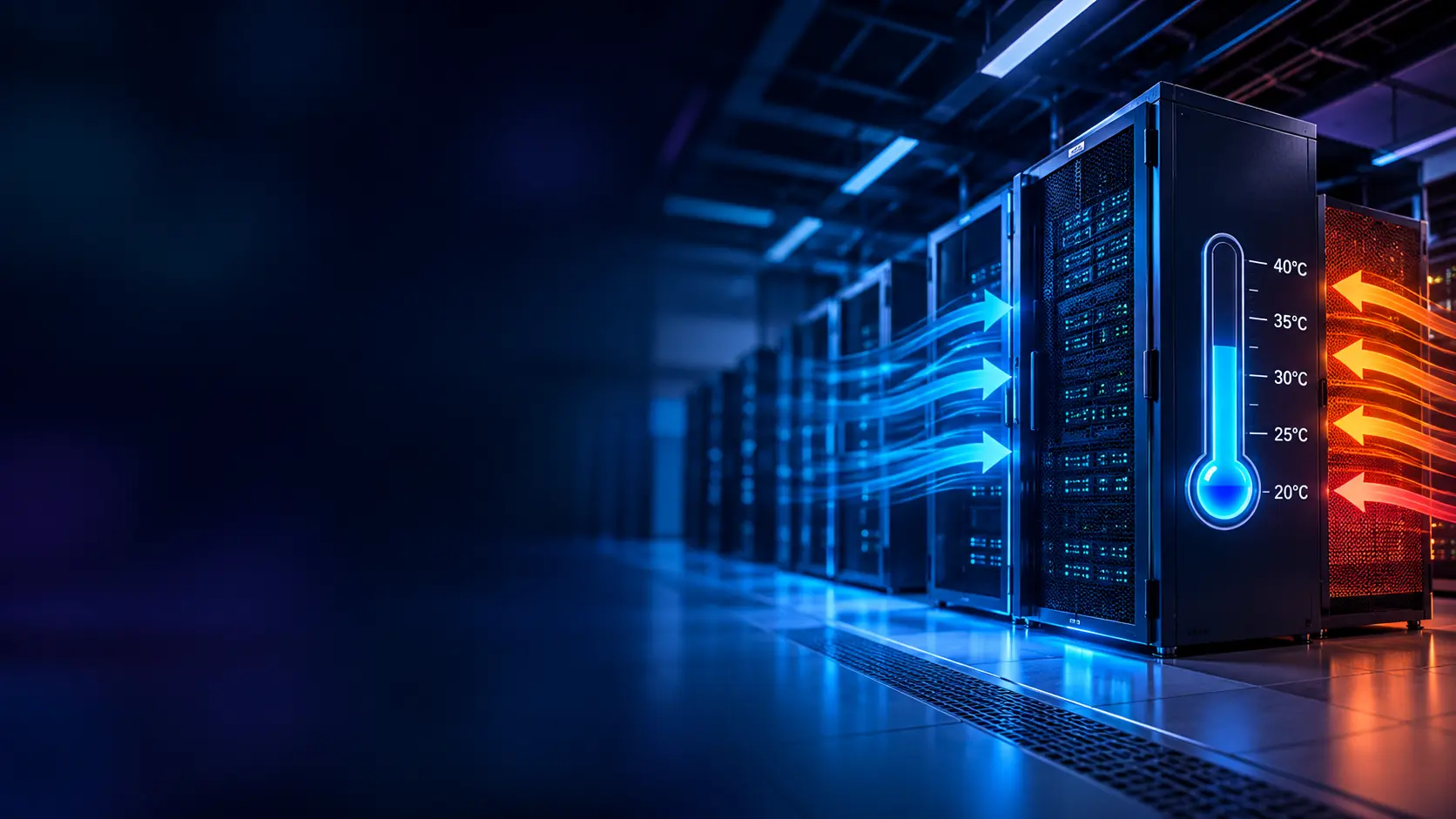
- Hot aisle and cold aisle containment, combined with disciplined airflow management, prevents hot exhaust air from mixing with cold supply air and significantly improves cooling efficiency.
- Liquid cooling technologies—such as direct-to-chip cooling and rear-door heat exchangers—are increasingly viable for high-density racks that exceed traditional air-cooling limits.
- Real-time environmental monitoring, CFD modeling, and Power Usage Effectiveness (PUE) tracking enable IT and facilities teams to eliminate hotspots while lowering energy costs.
- Selecting the right cooling strategy depends on rack density, facility layout, climate conditions, total cost of ownership, maintenance requirements, and future expansion plans.
Why Data Center Cooling and Thermal Management Matter in 2026
Modern enterprise data centers house denser, more powerful computing hardware than ever before. High-core-count processors, GPU accelerators, dense storage arrays, and high-speed networking switches generate substantial heat within compact footprints.
When heat is not removed efficiently, equipment inlet temperatures rise beyond manufacturer tolerances. This can lead to thermal throttling, premature component failure, unplanned downtime, and voided hardware warranties.
At the same time, cooling typically represents one of the largest non-IT energy expenses in a data center. Organizations in 2026 face growing pressure to control electricity costs, meet sustainability targets, and maximize capacity within existing power and space limits.
Effective thermal management is no longer just a facilities concern—it is a core pillar of enterprise IT reliability and operational efficiency.
This guide explores modern data center cooling technologies, airflow best practices, monitoring strategies, and a practical framework for building a resilient thermal management plan.
Understanding Data Center Heat Loads and Rack Density
Before selecting or upgrading a cooling system, IT and facilities teams must understand how much heat their infrastructure generates and how it is distributed across the data center floor.
Nearly 100% of the electrical power consumed by servers, storage, and networking equipment is converted into heat. As a result, rack power density—measured in kilowatts per rack (kW/rack)—directly determines cooling requirements.
- Low-to-moderate density (3 to 8 kW per rack): Typical for legacy enterprise servers, network closets, and lightly consolidated workloads. Standard perimeter air cooling often suffices when airflow is properly managed.
- High density (10 to 20 kW per rack): Common in modern virtualized clusters, hyperconverged infrastructure, and dense enterprise storage environments. Requires containment and precision in-row or close-coupled cooling.
- Ultra-high density (25 to 50+ kW per rack): Driven by AI training clusters, high-performance computing (HPC), and GPU-dense nodes. Often exceeds the physical limits of air cooling and requires liquid cooling solutions.
Designing for uneven densities—where a few high-density racks sit beside standard racks—is one of the most common thermal challenges in enterprise data centers.
Core Data Center Cooling Technologies
Enterprise data centers rely on several cooling architectures depending on facility size, rack density, and climate conditions.
1. Precision Air Cooling (CRAC and CRAH Units)
Unlike commercial comfort HVAC systems designed for office spaces, precision cooling systems maintain tight control over temperature, humidity, and continuous airflow.
- CRAC (Computer Room Air Conditioner): Uses a self-contained refrigeration cycle with compressors and refrigerants to cool air. Common in small-to-medium server rooms and enterprise data centers.
- CRAH (Computer Room Air Handler): Uses chilled water supplied by an external chiller plant passing through cooling coils. Generally more energy-efficient and scalable for larger enterprise facilities.
2. Close-Coupled and In-Row Cooling
Instead of pushing cold air across an entire room from perimeter units, close-coupled cooling places heat exchangers directly adjacent to or above the server racks.
In-row cooling units sit directly within the server row, capturing hot exhaust air immediately as it exits the rear of the racks and discharging cooled air directly into the cold aisle. This shortens the airflow path, reduces fan energy, and handles localized high-density hotspots effectively.
3. Liquid Cooling Solutions
As processor Thermal Design Power (TDP) continues to climb, liquid cooling has moved from specialized supercomputers into mainstream enterprise data centers. Liquid transfers heat far more efficiently than air by volume.
Common enterprise liquid cooling approaches include:
- Rear-Door Heat Exchangers (RDHx): Liquid-cooled coils mounted directly on the back of standard server racks to neutralize exhaust heat before it enters the room.
- Direct-to-Chip (D2C) Liquid Cooling: Cold plates mounted directly onto CPUs and GPUs circulate coolant to remove 70% to 80% of component heat, while standard air cooling handles the remaining auxiliary components.
- Immersion Cooling: Servers are submerged in a non-conductive dielectric fluid that absorbs heat directly from all components, eliminating server fans and dramatically lowering facility cooling energy.
4. Free Cooling and Economizers
Economizers leverage favorable outdoor weather conditions to cool the data center without running energy-intensive mechanical chillers.
- Air-side economizers bring filtered, conditioned outside air directly into the facility when ambient temperatures and humidity fall within acceptable ranges.
- Water-side economizers use evaporative cooling towers or dry coolers to chill water loops during cooler months, reducing compressor runtime and lowering annual energy consumption.
Air Cooling vs Liquid Cooling: Key Differences
| Factor | Precision Air Cooling | Liquid Cooling | | Heat removal capacity | Well-suited for low-to-moderate rack densities (typically up to 15 to 20 kW with containment) | Built for high and ultra-high rack densities (25 kW to 100+ kW per rack) | | Infrastructure complexity | Familiar architecture using raised floors, overhead ducts, CRAC/CRAH units, and containment | Requires coolant distribution units (CDUs), facility piping, leak detection, and fluid maintenance | | Initial capital cost | Lower upfront cost for standard enterprise deployments | Higher initial capital investment for manifolds, CDUs, and specialized server hardware | | Operating efficiency | Higher fan and compressor power required at high heat loads | Superior thermal transfer reduces fan power and enables warmer water loops for free cooling | | Space footprint | Requires wide aisles, plenum space, and perimeter cooling units | Compact thermal footprint allows higher compute density in smaller floor spaces | | Maintenance & skills | Widely supported by standard HVAC and data center facilities technicians | Requires specialized training, water/coolant chemistry management, and strict maintenance protocols | | Suitable use cases | General enterprise IT, standard virtualization hosts, networking, and edge server rooms | AI/ML clusters, high-performance computing, dense blade/GPU servers, and space-constrained facilities |
Many modern enterprises adopt a hybrid cooling model—retaining precision air cooling for general infrastructure while introducing liquid-cooled rows or rear-door heat exchangers for high-density compute clusters.
Airflow Management Best Practices
Even the most powerful cooling units will underperform if cooled air bypasses IT equipment or mixes with hot exhaust air. Disciplined airflow management is often the highest-ROI thermal upgrade an organization can make.
Hot Aisle and Cold Aisle Layout
Arrange server racks in alternating rows so that server fronts face each other across a cold aisle and server rears face each other across a hot aisle. This prevents the hot exhaust from one row from blowing directly into the intake of the next row.
Hot Aisle vs Cold Aisle Containment
Physical containment uses rigid panels, doors, or strip curtains to completely isolate cold supply air from hot return air:
- Cold Aisle Containment (CAC): Encloses the cold aisle, keeping the rest of the room at warm return-air temperatures. Often easier to retrofit onto existing raised-floor facilities.
- Hot Aisle Containment (HAC): Encloses the hot aisle and ducts hot exhaust air directly back to the CRAC/CRAH intakes. Keeps the main data center room comfortable for technicians and maximizes cooling unit efficiency.
Eliminating Bypass Airflow and Recirculation
Small gaps inside and around racks undermine containment and force cooling units to work harder:
- Install blanking panels: Cover every unused rack unit (1U) slot so hot exhaust air cannot recirculate through empty spaces to the front intake.
- Seal cable cutouts: Use brush grommets or foam seals in raised-floor tiles and overhead cable trays to stop cold air from leaking where it is not needed.
- Manage underfloor obstructions: Keep power and network cables neatly routed beneath raised floors so they do not block airflow pathways.
- Align perforated floor tiles: Place perforated tiles exclusively in cold aisles, never in hot aisles or empty floor areas.
Temperature, Humidity, and Environmental Monitoring
Operating a data center too cold wastes substantial energy, while operating too warm risks hardware reliability. Industry guidelines from ASHRAE (American Society of Heating, Refrigerating and Air-Conditioning Engineers) recommend server inlet temperatures between 18°C and 27°C (64.4°F to 80.6°F) for most enterprise equipment.
Deploying Granular Sensor Networks
Relying solely on return-air temperature sensors at the CRAC unit hides localized rack hotspots. Organizations should deploy environmental sensors across the white space:
- Place temperature sensors at the top, middle, and bottom of server rack intakes (where heat stratification is most visible).
- Monitor differential air pressure under raised floors and across containment barriers.
- Install relative humidity and dew-point sensors to prevent static electricity (from overly dry air) and condensation (from overly humid air).
- Place rope-style water and leak detection sensors beneath cooling units, piping, and raised floors.
Leveraging DCIM and CFD Modeling
Data Center Infrastructure Management (DCIM) software aggregates real-time thermal, power, and cooling telemetry into a single dashboard, triggering automated alerts before temperatures reach critical thresholds.
For larger facilities or major hardware refreshes, Computational Fluid Dynamics (CFD) modeling simulates airflow and heat distribution digitally. This allows engineers to test rack placements and cooling adjustments virtually before moving physical hardware.
Measuring and Optimizing Energy Efficiency (PUE)
Power Usage Effectiveness (PUE) is the industry-standard metric for evaluating data center infrastructure efficiency:
PUE Formula:
PUE = Total Facility Power / IT Equipment Power
A PUE of 1.0 represents ideal theoretical efficiency where all power goes directly to IT workloads. Legacy enterprise data centers often operate at a PUE between 1.8 and 2.2, whereas modern, well-contained facilities routinely achieve 1.2 to 1.4.
Practical Ways to Improve PUE Through Cooling Optimization
- Raise cold-aisle setpoints safely: Increasing supply air temperatures by even 1°C to 2°C within ASHRAE guidelines can significantly reduce chiller compressor energy and expand free-cooling hours.
- Deploy variable-speed drives (VFDs): Upgrade fixed-speed CRAC/CRAH fans and chilled-water pumps to variable-speed models that dynamically match airflow and flow rates to real-time heat loads.
- Decommission ghost servers: Identifying and powering down idle or underutilized servers reduces both IT power draw and the cooling load required to offset it.
- Synchronize cooling controls: Ensure multiple cooling units communicate rather than "fighting" each other (where one unit humidifies while an adjacent unit dehumidifies).
Thermal Resilience, Redundancy, and Maintenance
Cooling systems are critical infrastructure; a cooling failure can force an emergency data center shutdown within minutes during peak load.
Designing for Cooling Redundancy
Align cooling redundancy with your facility's availability tier and business continuity goals:
- N: Exact cooling capacity required for the IT load, with no backup unit (suitable only for non-critical environments).
- N+1: One independent backup cooling unit beyond the required capacity, allowing maintenance or single-unit failure without thermal disruption.
- 2N: Fully redundant, independent cooling loops and power feeds for mission-critical enterprise facilities.
Continuous Thermal Ride-Through
When power fails and backup generators start up, chillers and CRAC units can take several minutes to restart and resume full cooling. High-density racks can overheat during this transition window unless critical cooling pumps, fans, and thermal storage buffers are backed by Uninterruptible Power Supplies (UPS).
Routine Preventive Maintenance
Establish a strict maintenance schedule covering:
- Air filter inspection and replacement to prevent airflow restriction.
- Belt, fan motor, and compressor checks.
- Condenser coil cleaning and refrigerant/coolant level verification.
- Condensate drain clearing and leak-detection testing.
- Sensor calibration and automated failover testing.
- Automated failover and sensor checks.
Enterprise Data Center Cooling Checklist
Before approving a data center upgrade, server refresh, or cooling retrofit, verify that your plan addresses:
- Current and future rack density: Average and peak kW per rack projections over the next 3 to 5 years.
- Cooling architecture fit: Selection of precision air, in-row, rear-door heat exchanger, or direct-to-chip liquid cooling based on workload profiles.
- Airflow discipline: Hot/cold aisle layout, physical containment, blanking panels, and floor/cable sealing.
- Environmental telemetry: Rack-level inlet temperature, humidity, differential pressure, and leak-detection sensors integrated with DCIM.
- Energy efficiency targets: Baseline PUE measurement, variable-speed controls, and economizer opportunities.
- Redundancy and power backup: N+1 or 2N cooling capacity and UPS support for critical cooling fans and pumps during generator transfer.
- Serviceability and support: Vendor maintenance agreements, spare parts availability, and technician training.
How Movantech Supports Enterprise Data Center Infrastructure
Movantech Systems supports enterprise IT procurement and infrastructure sourcing across servers, storage, networking, cybersecurity, and data center equipment.
Deploying high-density servers or modernizing a server room requires aligning compute hardware specifications with rack power distribution, airflow accessories, environmental monitoring, and facility cooling capabilities. Evaluating these components together helps organizations prevent thermal bottlenecks and costly post-deployment retrofits.
Movantech can support organizations with:
- Enterprise server, storage, and high-density compute procurement.
- Data center racks, PDUs, airflow containment, and environmental monitoring sourcing.
- Server room and edge data center infrastructure configuration.
- Hardware specification alignment for thermal and power constraints.
- Multi-vendor quotation comparison and bulk project sourcing.
- Warranty, support, and delivery coordination across enterprise IT projects.
To learn more about Movantech's enterprise IT procurement and data center infrastructure sourcing capabilities, visit Movantech Systems.
Conclusion
Data center cooling and thermal management in 2026 require a strategic balance between reliability, density support, and energy efficiency.
While traditional air cooling remains effective for low-to-moderate density workloads when paired with strict containment and airflow management, high-density enterprise deployments increasingly benefit from in-row cooling, economizers, and liquid cooling technologies.
By accurately measuring rack heat loads, eliminating airflow bypass, deploying rack-level environmental monitoring, and designing for proper redundancy, organizations can protect critical IT investments, lower PUE, and ensure resilient infrastructure performance for years to come.
Planning a data center expansion, high-density server deployment, or server room modernization? Contact Movantech Systems to discuss your enterprise IT and data center infrastructure requirements.